Permanent Christmas Light Measurement Guide
Use this permanent Christmas light measurement guide to estimate the roofline footage needed for a permanent Christmas light system. You can measure by hand with the examples below, or use Bright Home Designer to upload a house photo, trace the roofline, set a known length, and preview the lighting layout before ordering or installing.
Permanent Christmas Light Measurement Guide with Bright Home Designer
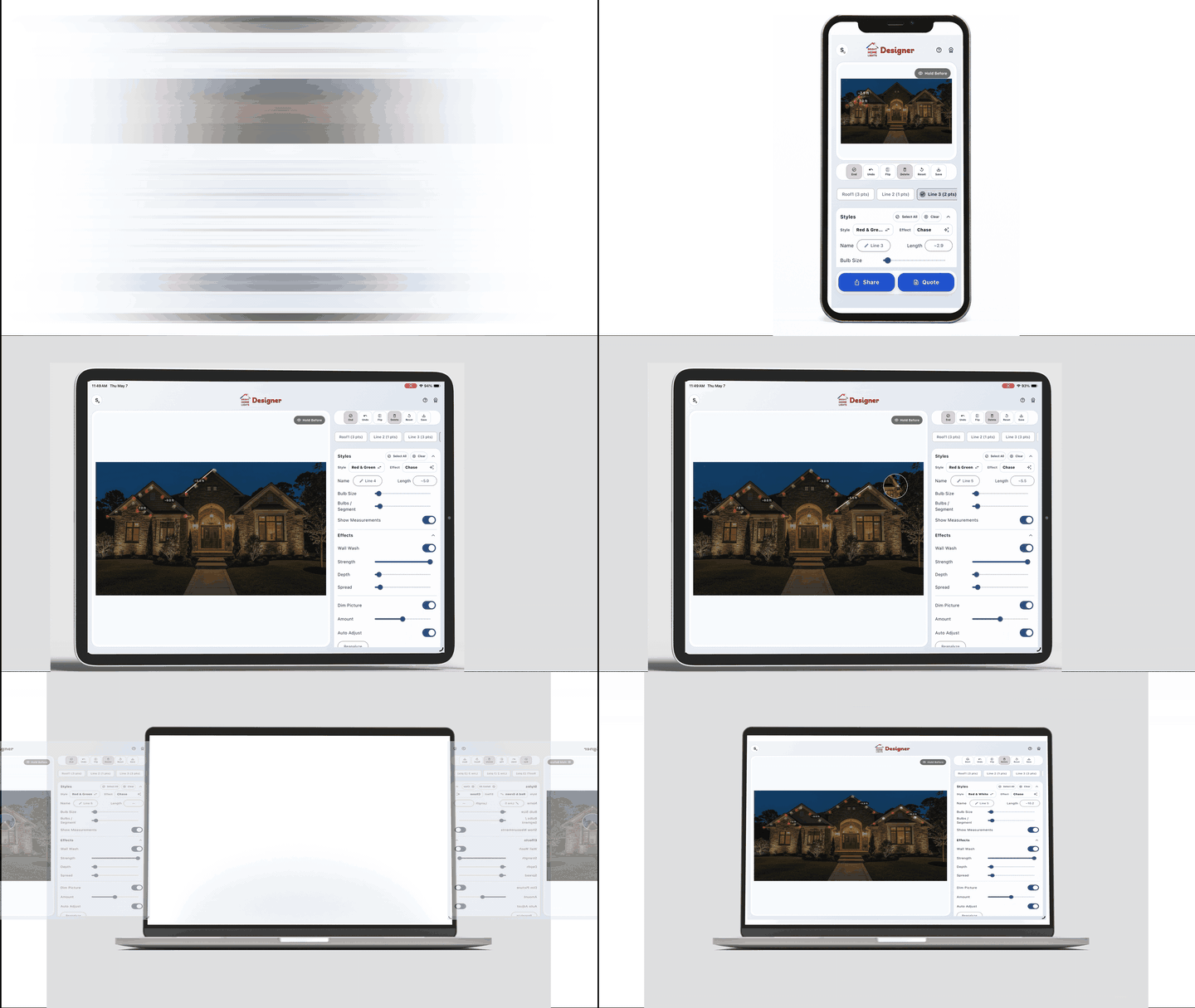
Bright Home Designer gives you a visual way to plan permanent Christmas lights from a real photo of your home. Instead of relying only on a sketch, you can choose a photo, draw lines across the roofline, enter a known length in feet, and turn on measurements to estimate the remaining runs.
This is especially helpful for sectioned rooflines, peaks, garage lines, dormers, and layouts where the lights stop and restart. The app also lets you preview styles, bulb spacing, effects, and light wash so you can see how the design will look before finalizing your material list.
Open Bright Home Designer or view the app preview.
How to Use the Designer for Measurements
- Take or upload a straight-on photo. Use a clear photo of the side of the home you want to light.
- Start a line and trace the roofline. Click along the gutter, fascia, trim, peaks, or garage line where the lights will go.
- Set one known length. Select a line you already measured in real life, then use Set length to enter the footage.
- Turn on Measurements. The designer estimates the other traced lines based on the known reference length.
- Review the design. Adjust bulb spacing, colors, effects, and light wash, then download a snapshot or save the project.
The designer estimate is a planning tool. For final ordering or installation, confirm key sections with a tape measure, especially around corners, roof peaks, and separate runs.
How to Measure a Simple Roofline
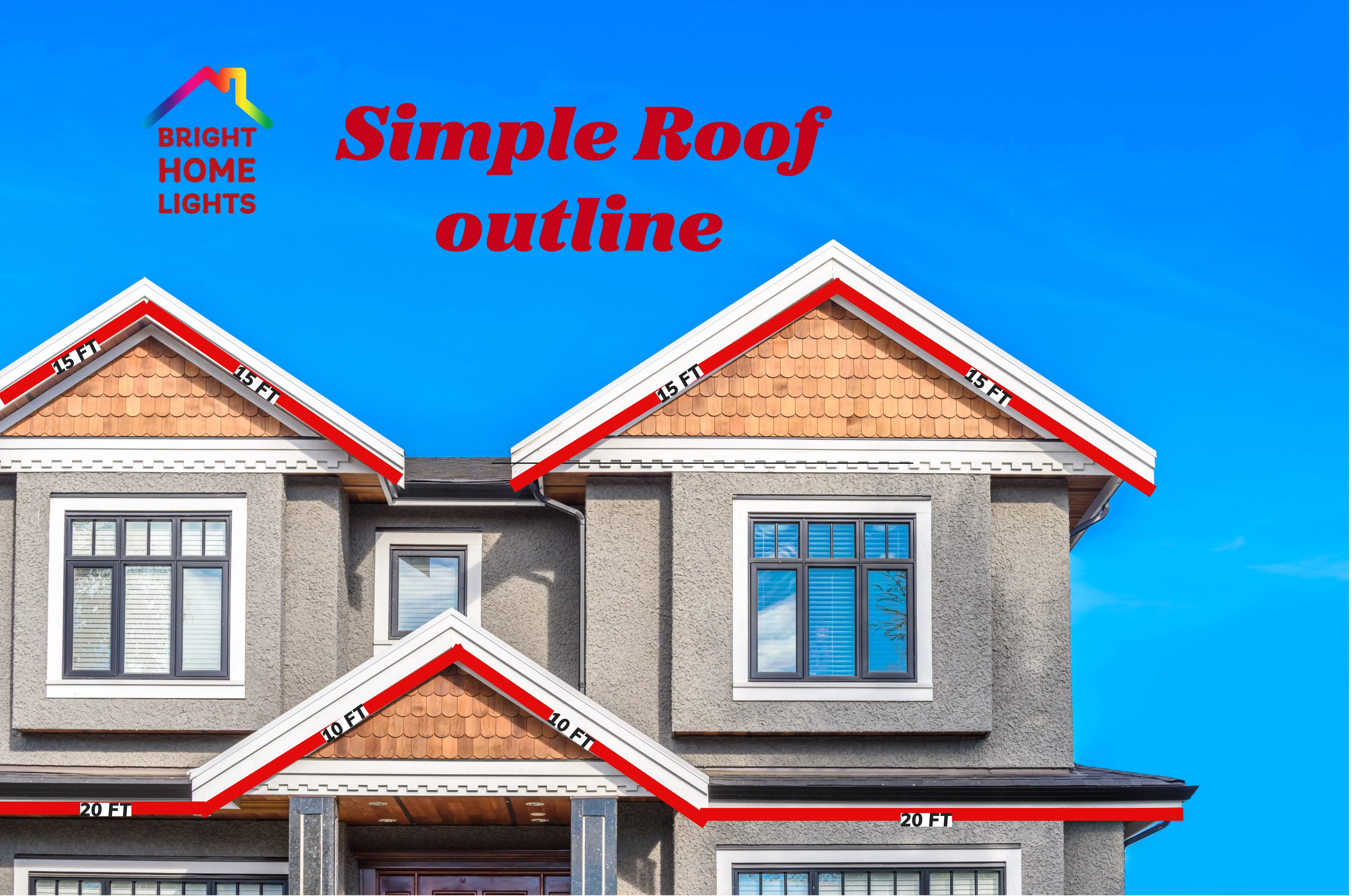
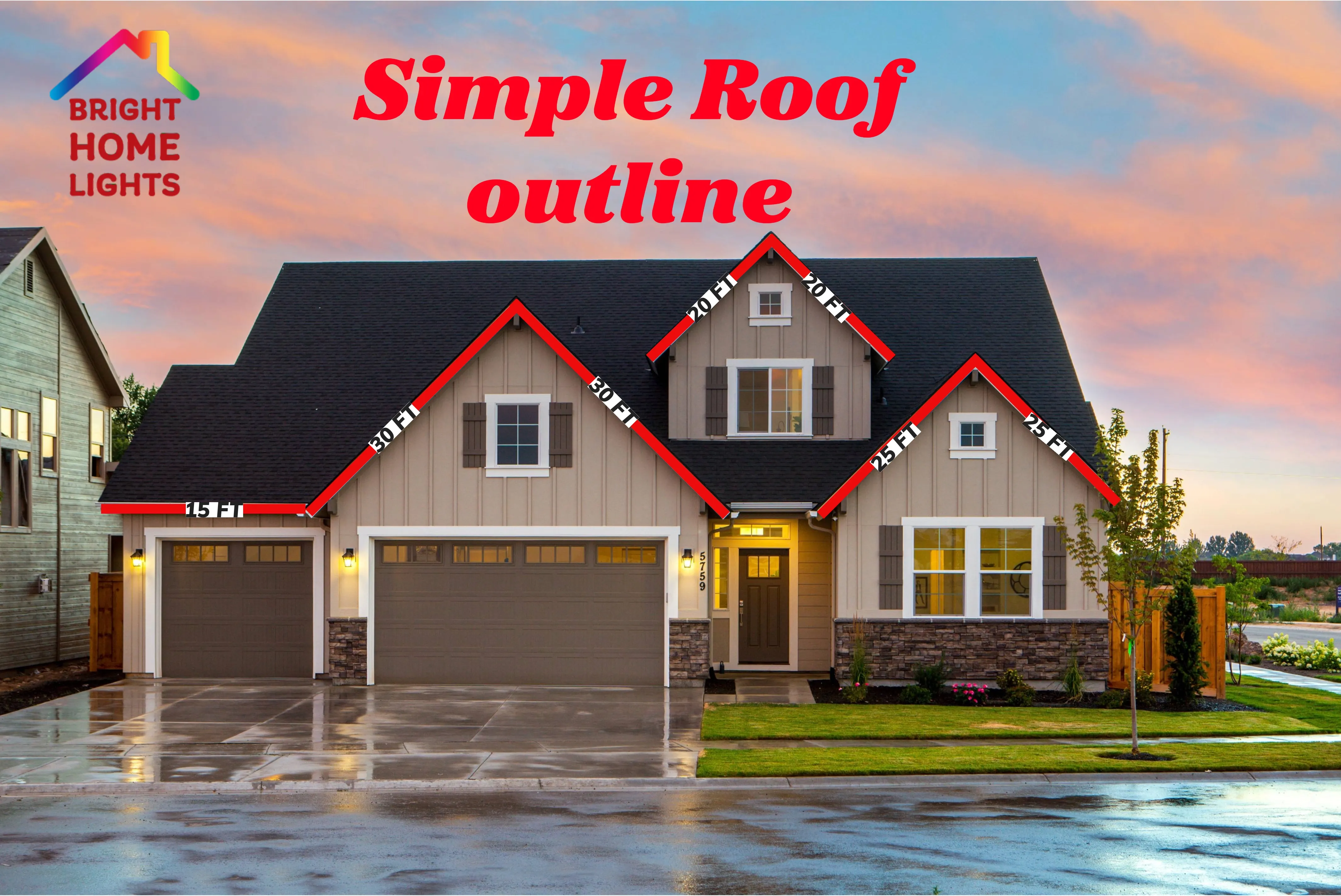
For a simple roofline, measure the full length of each straight run where the lights will sit. Start at one corner of the home and work across the front elevation, writing down each section in feet. Include the visible roofline areas you want lit, but do not include areas where you do not want lights installed.
After measuring each run, add the numbers together to estimate your total roofline footage. If your measurement lands between product lengths, round up so you have enough lights for the full outline.
How to Measure a Sectioned Roofline
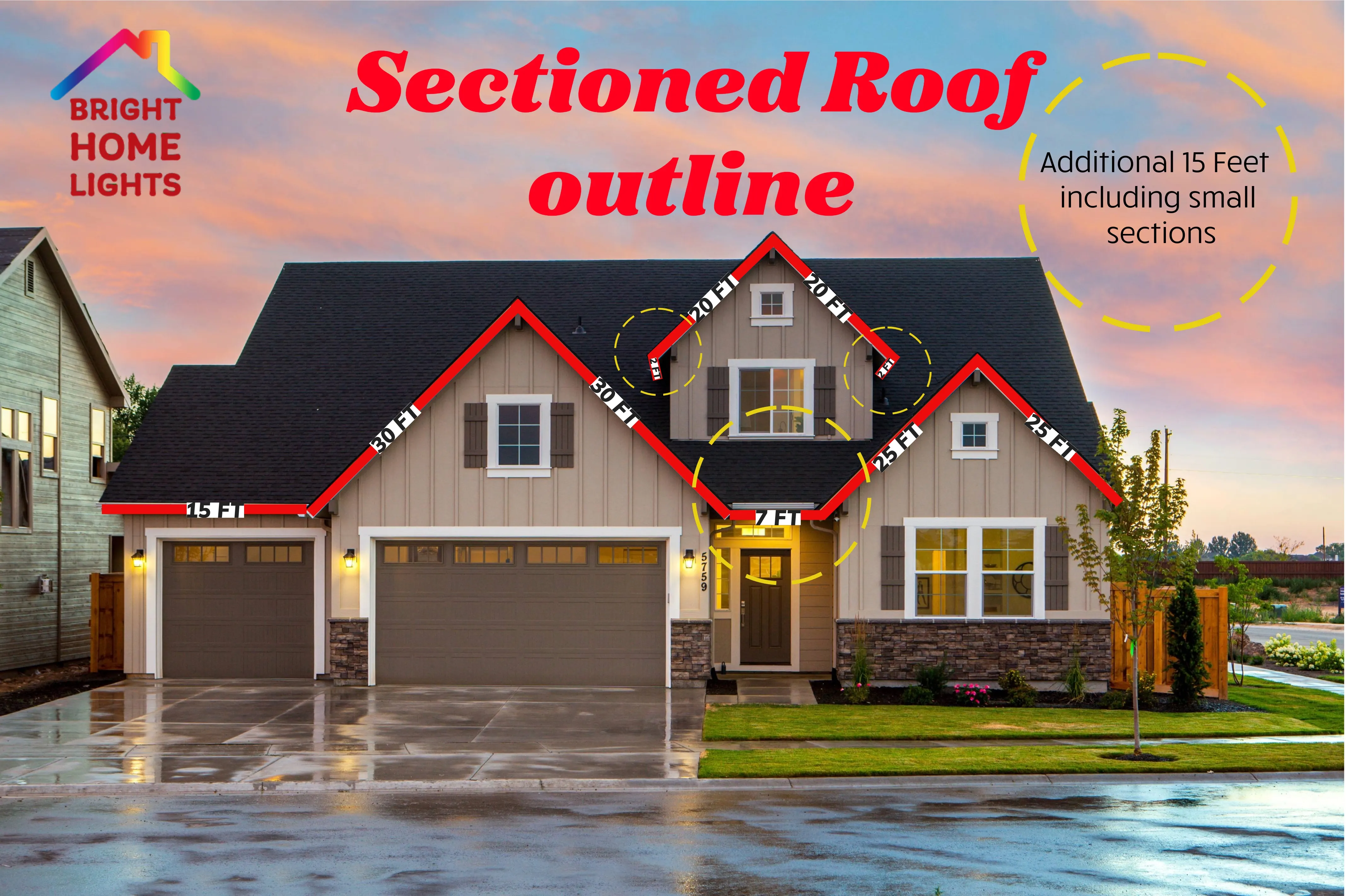
Sectioned rooflines are easier to measure when you break the home into smaller parts. Measure the lower roofline, upper peaks, garage line, dormers, and any separate gables as individual sections. Label each section on a photo or sketch so your layout is easy to review before installation.
This approach is helpful for homes with multiple roof levels, offsets, or areas where lights may need to stop and restart. It also helps determine where extensions, controllers, and power connections may be needed.
Permanent Christmas Light Install Examples
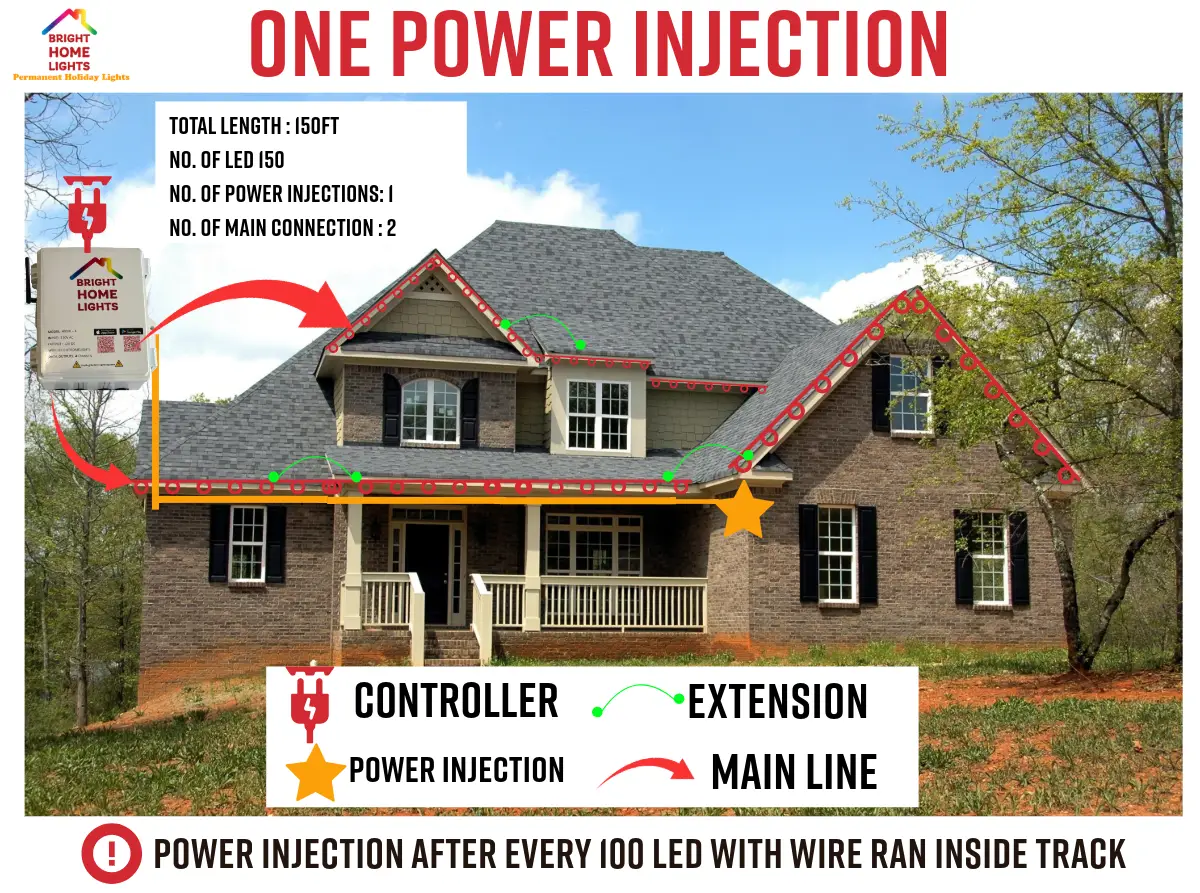
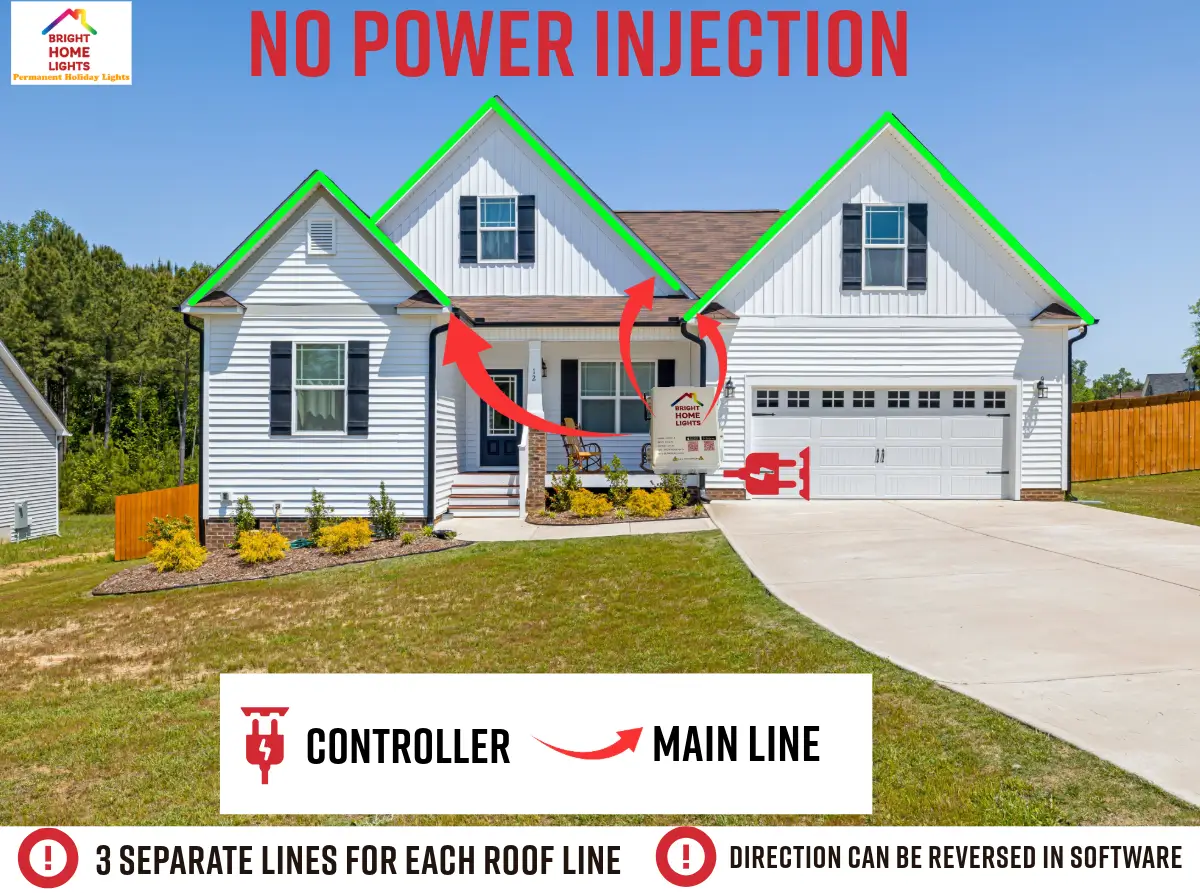
Use the install examples as a reference for where permanent lights are commonly placed. Most layouts follow the front-facing roofline to create clean curb appeal from the street. Depending on your home, you may also choose to continue lights around corners, over garage doors, along peaks, or across additional visible elevations.
If you are unsure which areas to include, measure the main front roofline first, then measure optional sections separately. This makes it easier to compare a basic layout with a larger full-home design.
Common Measurement Questions
How do I measure my roofline for permanent Christmas lights?
You can measure each straight roofline section by hand, or use Bright Home Designer to trace the roofline on a photo and estimate footage from a known reference length.
How does Bright Home Designer estimate footage?
Draw lines on the house photo, select one line with a real-world measurement, enter that length in feet, and enable Measurements. The app uses that reference to estimate the other traced sections.
Should I still measure by hand?
Yes. The designer is useful for planning and layout, but final material counts should be confirmed with real measurements, especially for corners, peaks, offsets, and separate roofline sections.
Can I share the design?
Yes. You can download a snapshot from the designer. Designer PRO also supports cloud projects and professional exports such as animated GIFs and quote PDFs.
Simple roof outline
Sectioned roof outline

Install Examples
Related Articles